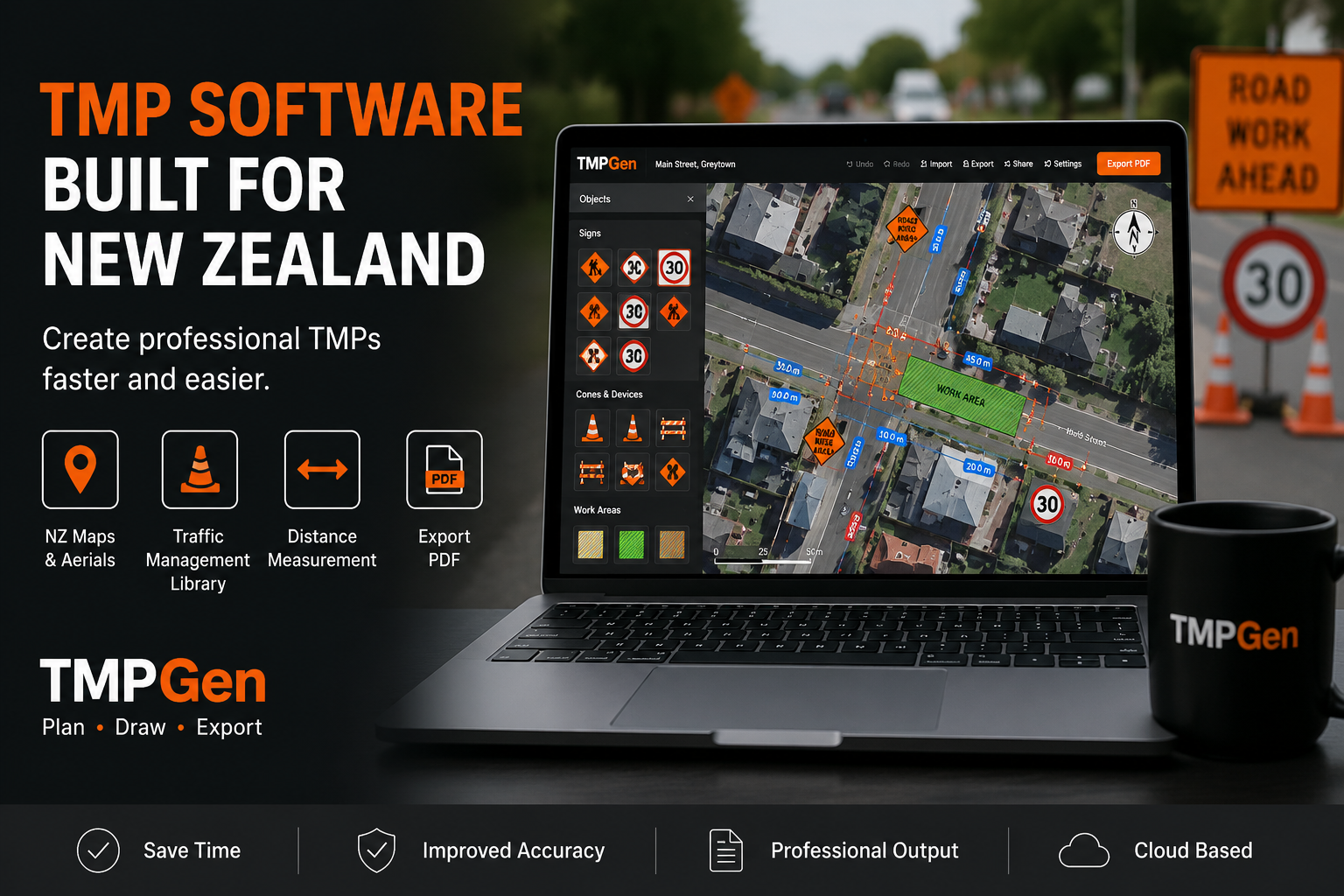
Creating a temporary traffic management plan (TMP) can take time. Finding the correct site, setting out signs and cones, measuring distances, creating a clear plan and preparing a professional PDF can become a repetitive part of traffic management work.
For New Zealand traffic management professionals, having the right TMP software can make the process much easier.
With the move towards the New Zealand Guidelines for Temporary Traffic Management (NZGTTM), contractors and traffic management professionals are increasingly looking for practical tools that make TMP planning more efficient without adding unnecessary complexity.
What is TMP software?
TMP software is a digital tool used to create and prepare Temporary Traffic Management Plans.
Instead of drawing a plan from scratch using general-purpose design or CAD software, dedicated TMP planning software provides tools specifically designed for traffic management.
Depending on the software, this can include:
- New Zealand maps and aerial imagery
- Traffic management signs
- Cones and barriers
- Work zones
- Lane closures
- Tapers and cone sequences
- Distance measurements
- Legends and title blocks
- Scale bars and north arrows
- PDF export
The goal is simple: make it easier to turn a real road site into a clear, professional traffic management plan.
Why are traditional TMP drawings so time-consuming?
A TMP needs to communicate what is happening at the work site clearly.
But creating the drawing can involve several separate tasks.
You may need to:
- Find the exact work location.
- Obtain suitable aerial or road imagery.
- Set up the drawing.
- Add traffic management signs.
- Draw cones, barriers and work areas.
- Measure distances.
- Adjust the layout to match the site.
- Add a legend and other plan information.
- Export the finished drawing.
- Make changes when the site or work methodology changes.
When this is repeated across multiple projects, the time quickly adds up.
This is where dedicated traffic management plan software can be useful.
What should you look for in TMP planning software?
Not every drawing program is designed for traffic management.
If you are looking for TMP software in New Zealand, there are several features worth considering.
1. Real New Zealand maps
A TMP should represent the actual site as accurately as practical.
Using aerial, topographic or street mapping makes it easier to understand the road environment and position traffic management equipment relative to the existing site.
TMPGen allows users to search for a New Zealand address and work directly over map and aerial imagery, including LINZ aerial photography.
2. A traffic management sign library
Finding and creating individual signs manually can be frustrating.
Dedicated TMP software should provide a library of commonly used traffic management signs and equipment so they can be added directly to the plan.
TMPGen includes a sign library covering NZ-compliant signs, cones, barriers, and other plan elements — all referenced to NZGTTM standards.
3. Easy cone and taper layouts
Setting out long sequences of cones manually can take a surprising amount of time.
A TMP drawing tool should make it possible to create cone sequences and adjust spacing rather than placing every cone individually.
This becomes particularly useful for lane closures, tapers and work areas where cone spacing requirements vary.
4. Accurate distance measurement
Distances matter when preparing a traffic management plan.
A good TMP design tool should allow you to measure real-world distances rather than relying on approximate measurements from a drawing.
TMPGen includes distance measurement tools so users can work with real-world dimensions while preparing their plans.
5. Professional PDF output
The final TMP drawing needs to be easy to read and suitable for sharing with clients, contractors and the relevant Road Controlling Authority (RCA).
Look for software that can produce a clean, high-resolution PDF that includes:
- Title block
- Legend
- Scale
- North arrow
- Site layout
- Traffic management equipment
TMPGen exports submission-ready PDF plans in A3 or A4 format, in portrait or landscape orientation.
6. Cloud save and access
Being able to save and access your plans from any device makes it easier to work across multiple sites and projects.
TMPGen saves plans to the cloud so they can be accessed from any browser, on any device.
Why purpose-built TMP software matters
General-purpose design software can be adapted for TMP work, but it was not built for it.
Purpose-built TMP software removes the workarounds. The tools, signs, and workflows are designed specifically for traffic management, which means less setup time and a more straightforward process from start to finish.
For New Zealand contractors and traffic management professionals, this means spending less time on the drawing and more time on the work itself.
Getting started with TMPGen
TMPGen is a web-based TMP drawing tool built specifically for New Zealand traffic management professionals.
It runs in your browser — no installation required — and includes everything you need to draw, export and share professional traffic management plans.
You can start with a free 7-day trial at www.tmpgen.co.nz.
If you have any questions or would like a free 1:1 training session, get in touch at support@tmpgen.co.nz.